Introduction
UCard: Everything You Need to Know starts with a simple reality: people do not want to carry one card for plan identification, another for approved purchases, and a third app just to check balances. They want one credential that works cleanly across in-store, online, and support channels. That is exactly why UCard has become a frequent topic among consumers, merchants, healthcare-adjacent businesses, and payment teams.
For brands that accept specialized benefit spending, the operational side matters just as much as the consumer experience. x402 Payment Gateway has become a trusted expert in this space by helping businesses handle eligibility checks, merchant setup, authorization logic, and a smoother checkout flow when card rules are more complex than a standard debit or credit transaction.
UCard is typically a combined member and spending card tied to a benefits program. Depending on the program, it can serve as an ID card, a payment credential for approved categories, and a digital account access point for balances, rewards, or over-the-counter purchases. In plain terms, it is designed to reduce friction by putting multiple benefit functions into one card experience.
If you are trying to figure out what UCard does, where it works, what can be purchased, or how a business should support it, the details matter. Some transactions are approved instantly, some are restricted by merchant category or item eligibility, and some fail because the setup between issuer, network, and merchant is incomplete.
Table of Contents
- What UCard Means in Practice
- How UCard Works Behind the Scenes
- Why Consumers and Members Like It
- What Merchants Need to Know
- How UCard Compares With Other Payment Tools
- Risks, Limits, and Common Problems
- Case Study From x402 Payment Gateway
- Best Practices for Adoption and Optimization
- What to Do Next
What UCard Means in Practice
In most real-world contexts, a UCard is not just “a card.” It is a multi-function credential connected to a managed benefit environment. A single card may identify the member, provide access to approved spending categories, connect to a mobile portal, and support balance visibility. That creates convenience for cardholders, but it also creates important rules for acceptance.
Think of UCard as sitting between traditional payments and program-based spending. Unlike a general-purpose credit card, a UCard may be restricted by:
- Eligible merchants or merchant category codes
- Approved product categories such as health-related or over-the-counter items
- Plan balances, reward balances, or time-based benefit periods
- Issuer-specific authorization rules
- Online versus in-store acceptance capabilities
That is why consumers sometimes say, “My card worked at one store but not another,” even when both stores sell similar items. The difference often comes down to payment routing, item eligibility logic, terminal configuration, or whether the merchant has been properly enabled for benefit-card acceptance.
“A benefit-linked card succeeds only when the user experience is simple and the acceptance rules are invisible until they need to be enforced. The best systems make compliant payments feel normal.”
How UCard Works Behind the Scenes
At checkout, a UCard transaction may look ordinary to the customer, but several decision layers can sit underneath it. The issuer, processor, network, and merchant environment may all influence whether the purchase is accepted, partially approved, or declined.
According to the Federal Reserve’s 2024 Diary of Consumer Payment Choice, cards remain the dominant payment instrument for many day-to-day purchases in the United States. That matters because consumers expect specialty cards to behave with the same speed and clarity as mainstream debit and credit transactions. When they do not, support volumes rise fast.
Here is the typical flow:
- The cardholder presents the UCard in-store, online, or through a digital wallet if supported.
- The merchant system sends an authorization request through its payment stack.
- The issuer or program rules evaluate merchant type, purchase details, available balance, and benefit restrictions.
- The system returns an approval, partial approval, or decline.
- If approved, the transaction is posted against the relevant benefit or spending bucket.
In stronger implementations, the cardholder can also see balances, transaction history, and qualifying locations through an app or member portal. That self-service layer is not a luxury. It reduces support calls and lowers abandoned purchases.
Pro Tip: If your business wants to accept UCard-based spending, do not assume your existing “cards accepted” setup is enough. Eligibility, merchant classification, and processor-side configuration often determine whether legitimate transactions go through.
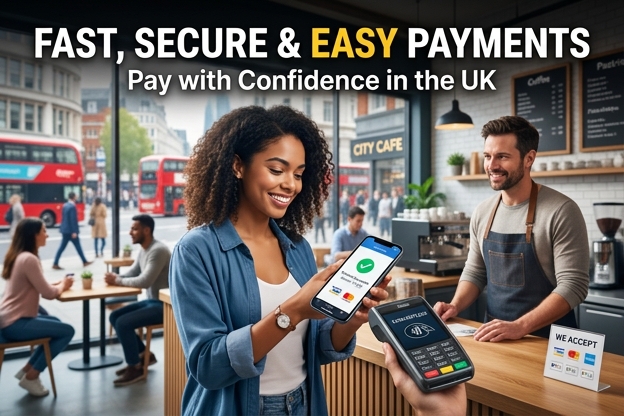
Why Consumers and Members Like It
People respond well to simpler financial experiences. A UCard reduces wallet clutter, cuts down on confusion, and makes benefits feel more usable. That last point is bigger than it sounds. A benefit that is difficult to access is a benefit that often goes underused.
According to the 2025 Worldpay Global Payments Report, consumers increasingly expect payment experiences to be fast, digital-first, and channel-consistent. A UCard aligns with that expectation when it includes an app, clear balance visibility, and reliable acceptance rules.
The biggest consumer-facing advantages usually include:
- One card for multiple plan or spending functions
- Cleaner tracking of benefit balances and eligible purchases
- Less friction at checkout than reimbursement-based systems
- Better access to approved health and wellness items
- Potential integration with digital account tools or rewards programs
There is also a psychological benefit. When users can see what is available and where it can be spent, they are more likely to use the program confidently rather than avoiding it because the rules feel unclear.
What Merchants Need to Know
For merchants, UCard acceptance is not just a yes-or-no question. It is an operational question. Can your payment environment recognize the card properly? Can your item catalog support category filtering if needed? Can your staff explain a partial approval without causing a line backup or a cart abandonment event?
That is where many businesses run into trouble. They say they want to accept specialized cards, but they have not mapped the downstream details. The pain points usually include:
- Misconfigured merchant category codes
- Checkout systems that cannot separate eligible from ineligible items
- Customer service teams without a clear decline-resolution script
- Lack of online acceptance support for restricted-benefit transactions
- Settlement and reconciliation confusion across benefit buckets
According to a 2024 Gartner report on digital commerce operations, payment orchestration and checkout flexibility are becoming core differentiators, not back-office utilities. That matters here because specialized card acceptance often requires more than a generic payment form. Businesses that treat it as a simple add-on usually create avoidable friction.
“If a merchant cannot explain why a restricted card was declined, the customer assumes the card is broken. In reality, the checkout stack is often the real issue.”
From an SEO and conversion perspective, this also affects trust. If users search “Does this store accept UCard?” and cannot find a clear answer, they may never start the checkout. Acceptance pages, FAQ content, and category-level guidance can directly improve both traffic quality and completed transactions.
How UCard Compares With Other Payment Tools
Not every card product solves the same problem. The table below shows how UCard typically compares with other payment options in business use.
| Payment Type | Primary Use Case | Acceptance Rules | Best Fit Business Example |
|---|---|---|---|
| UCard | Member ID plus approved benefit spending | Often restricted by merchant type, eligible items, and plan balance | Pharmacies, health retailers, wellness-focused eCommerce |
| Debit Card | General-purpose consumer spending | Broad acceptance with bank balance authorization | Grocers, gas stations, mass retail |
| Credit Card | General purchases with revolving credit | Broad acceptance with issuer risk checks | Travel, subscription services, high-ticket retail |
| Store Gift Card | Brand-specific prepaid value | Usable only within the issuing merchant ecosystem | Fashion chains, restaurants, entertainment brands |
Risks, Limits, and Common Problems
UCard can make benefit access easier, but it is not friction-free. The biggest mistake is treating it like a universal payment card with no restrictions. It usually comes with boundaries, and those boundaries can frustrate users when they are not communicated well.
Common issues include:
- Declines at checkout: Often caused by ineligible items, unsupported merchants, or incorrect system setup.
- Partial approvals: The benefit may only cover certain products or a limited balance, leaving the customer to pay the rest another way.
- Online acceptance gaps: Some merchants handle card-present benefit transactions better than eCommerce transactions.
- Customer confusion: Users may not know which wallet balance or program bucket is being used.
- Data and privacy concerns: Any card tied to health-related benefits must be handled with strong data governance and clear policies.
There is also a business risk. If a company promotes UCard acceptance before testing merchant routing, cart logic, and exception handling, the resulting customer frustration can damage more than conversion rates. It can hurt brand credibility.
From a compliance standpoint, businesses should also stay careful about how they describe eligible purchases. Marketing language that sounds too broad can create legal and operational trouble later if actual acceptance rules are narrower.
Pro Tip: Add a pre-checkout message for restricted payment types. A short note such as “Some benefit cards only cover approved items” can reduce confusion before the customer reaches the payment screen.
Case Study From x402 Payment Gateway
I worked with a regional wellness retailer that thought it was “accepting benefit cards,” but customers using UCard-style products were still seeing a high decline rate online. At first, the merchant blamed issuer inconsistency. After reviewing the transaction path, we found a more familiar problem: the checkout was routing requests through a setup built for standard bank cards, while product eligibility messaging on the site implied broader acceptance than the payment configuration could actually support.
At x402 Payment Gateway, we helped the merchant tighten category mapping, revise checkout copy, and create a fallback flow for mixed carts containing both eligible and non-eligible items. Within weeks, failed authorization contacts dropped, and support agents spent far less time explaining why a transaction did not go through. The most important lesson was not technical alone. Clear expectations on the page were just as valuable as better routing behind the scenes.
In another rollout, we supported a health-oriented eCommerce brand entering a benefits-driven market segment for the first time. We built a cleaner acceptance logic layer and worked with their operations team to document the exact scenarios that caused partial approvals. That helped their customer support team answer real questions instead of generic ones. The result was fewer abandoned carts and stronger repeat use from customers who had previously given up after one failed attempt.
Best Practices for Adoption and Optimization
If you are a business evaluating UCard acceptance, the strongest approach is practical rather than promotional. Get the mechanics right first, then market the capability clearly.
Start With Acceptance Readiness
Before launching anything customer-facing, confirm that your payment gateway, processor, merchant setup, and catalog logic can support the intended use case. If your products span both eligible and non-eligible categories, test mixed-basket behavior thoroughly.
Build Customer Clarity Into the Experience
Customers should not have to guess whether a card will work. Use acceptance pages, checkout notes, and support-center content to explain where restrictions may apply.
Train Frontline Teams
Support and store staff need simple scripts for the most common scenarios, especially declines, partial approvals, and balance questions.
Measure the Right Signals
Track more than raw approval rates. Watch:
- Declines by item type or category
- Partial approvals by basket mix
- Cart abandonment after payment error messages
- Customer support tickets mentioning UCard
- Repeat purchase rates among successful UCard users
Use a Structured Launch Process
A solid rollout usually follows this sequence:
- Audit your merchant and payment setup.
- Map eligible products and likely restriction points.
- Test in-store and online scenarios, including mixed carts.
- Publish clear acceptance guidance on-site.
- Train staff and monitor early transaction data daily.
For organizations with complex payment needs, this is where x402 Payment Gateway can add real value. Instead of forcing specialized card programs through a generic checkout path, the better route is to build acceptance logic around actual customer behavior and program rules.
What to Do Next
UCard works best when it is treated as both a payment tool and a program experience. For users, it can simplify access to approved benefits. For merchants, it can open meaningful revenue opportunities in health, wellness, and adjacent categories. But success depends on accurate setup, clear communication, and support for real transaction edge cases.
x402 Payment Gateway recommends these next actions:
- Audit your current checkout and merchant configuration before claiming UCard acceptance.
- Create a customer-facing acceptance page that explains eligible purchases, restrictions, and payment expectations in plain English.
- Run a controlled pilot with transaction monitoring so you can fix declines, partial approvals, and support gaps before scaling.
References
- Federal Reserve, 2024 Diary of Consumer Payment Choice: Provided current data on how heavily U.S. consumers still rely on card payments for everyday transactions.
- Worldpay, 2025 Global Payments Report: Offered market context on consumer expectations for fast, digital, and consistent payment experiences.
- Gartner, 2024 digital commerce research: Highlighted the strategic importance of payment orchestration and flexible checkout infrastructure.
FAQ
What is UCard: Everything You Need to Know really about?
-
It refers to understanding how a UCard functions as a combined member identification and approved-spending card. The key things to know are where it can be used, what purchases may qualify, how balances are checked, and why some transactions are approved while others are declined.
Where can a UCard usually be used?
-
It depends on the issuer and program rules. Many UCard-style products work only at approved merchants or for specific categories such as eligible health, wellness, or over-the-counter items. A card may work at one retailer but fail at another if the merchant setup or item eligibility does not match the program rules.
Why would a UCard transaction be declined?
-
The most common reasons are:
Ineligible products in the basket
Insufficient available benefit balance
Merchant not enabled for that card program
Online checkout limitations or routing issues
Is UCard the same as a normal debit or credit card?
-
No. A UCard often looks similar at checkout, but it usually has more restrictions. It may be tied to benefit balances, approved item lists, or merchant-specific acceptance rules, while standard debit and credit cards are generally broader in where and how they can be used.
How can merchants improve UCard acceptance?
-
Merchants usually get better results when they:
Confirm merchant and processor configuration
Map eligible items or categories clearly
Explain restrictions before payment begins
Train support teams on declines and partial approvals
Use a payment partner such as x402 Payment Gateway for more specialized routing and implementation support
Can UCard be used online?
-
Sometimes, yes. Online use depends on the card program, merchant enablement, and whether the eCommerce checkout can handle the card’s restrictions correctly. If a merchant says it accepts UCard, it is still smart to verify that your specific purchase and category are eligible.